Grain Store Controls
Overview
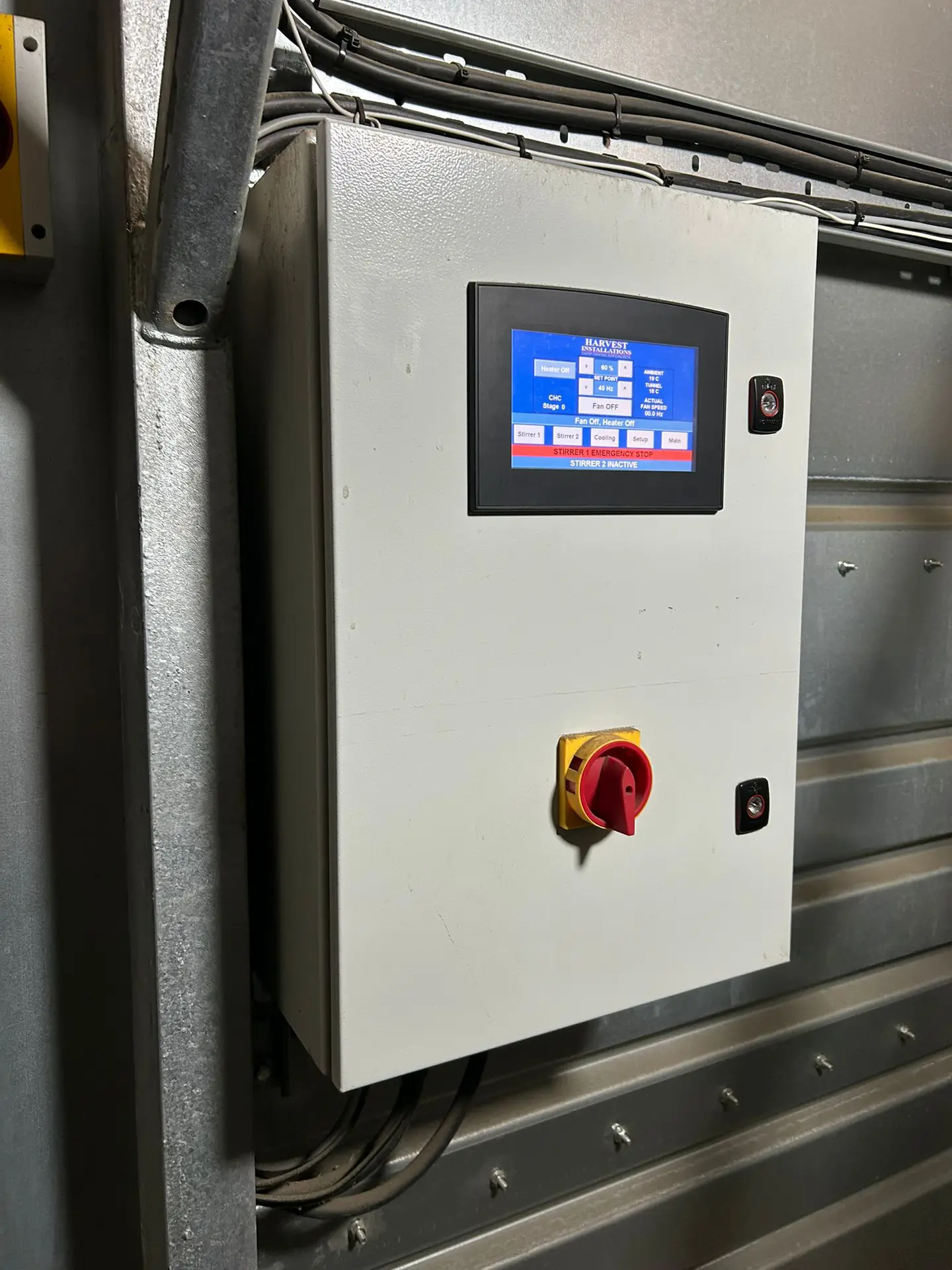
Our grain store controls centre around our Store Controller which makes grain store management more efficient by centralising control of your equipment in one touchscreen system. Operators save time and effort by monitoring and adjusting drying fans, Constant Humidity Controllers, extractor fans, and Maxi-Stirrers from a single interface—no more trips to multiple sites or climbing ladders. Optional mobile access enables you to oversee operations from any device, improving safety and responsiveness.
Features of Our Grain Store Controls
Touchscreen
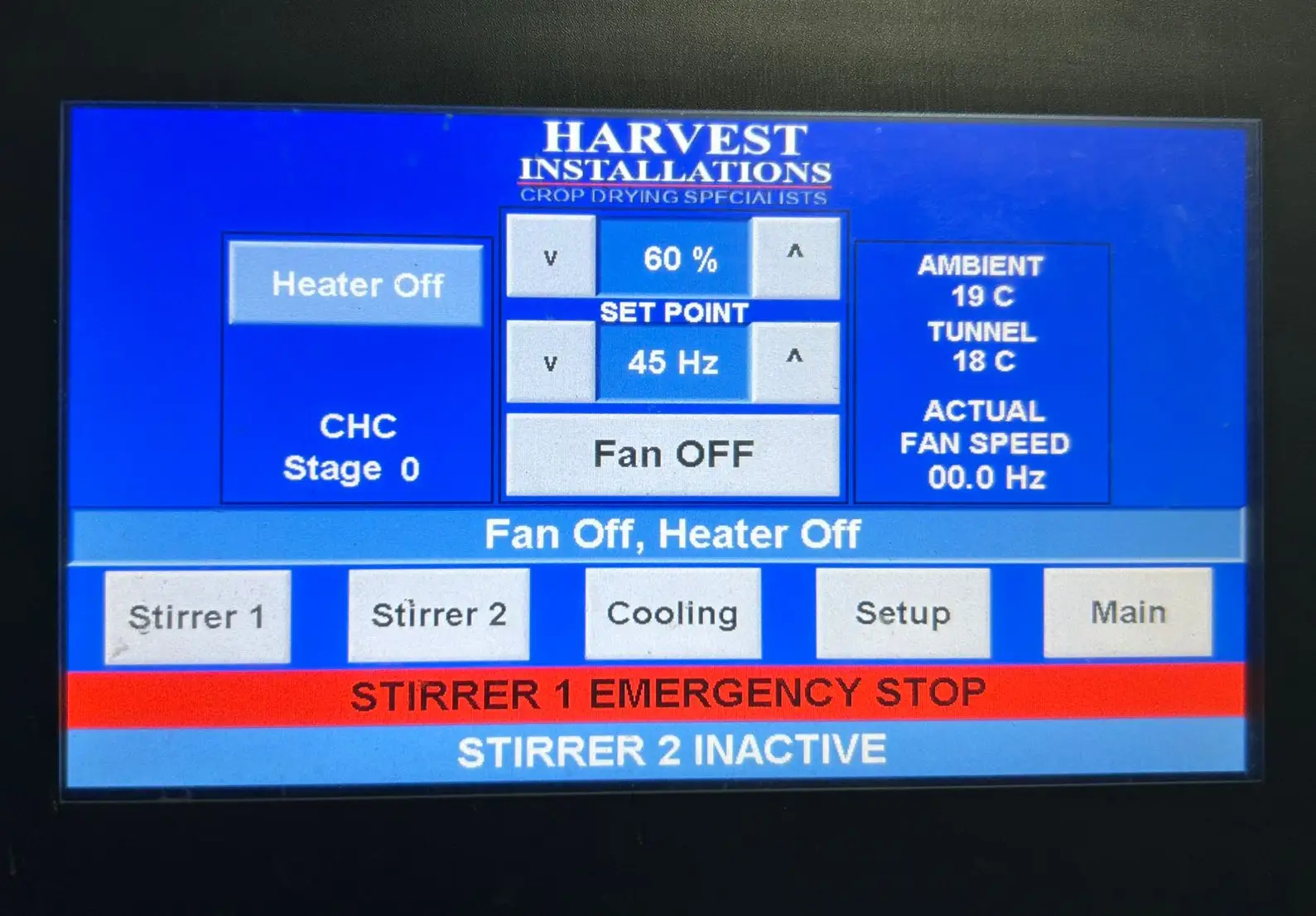
The integrated touchscreen provides an intuitive, colour-coded layout with real-time readings for CHC data, drying fan controls with speed control, ambient temperature data, and temperature and humidity conditions within the main air duct, as well as stirrer controls.
Feel the Burn
The Store Controller allows you to check if the CHC is operational, its current stage, and when it is locked out. From the controller, you can change whether the CHC operates in temperature or humidity correction mode, and adjust the setpoint to ensure the crop is dried to the optimal moisture level.
Blow it Right
Drying fan control is built into the main screen of the Store Controller, allowing the operator to switch on the drying fan(s). On the main screen, the speed can be adjusted from the minimum to the maximum setting, allowing for the correct airflow to be achieved through the crop. If you are only ventilating a portion of the store, this can result in significant power savings.
Access From Anywhere
With an optional add-on, use an app to access the Store Controller on your mobile device. This provides all store data and features. When Maxi-Stirrer control is enabled, safety features—such as delayed starts and access codes—protect farm staff even when using remote grain store controls.
Play it Cool
On the Store Controller home screen, make use of the ambient temperature, which can be compared to the temperature in the main air duct. Use this information for temperature drying and cooling.
The Store Controller offers automatic cooling. Drying fans run when ambient temperature is optimal, then switch to monitoring the main air duct temperature, shutting off if conditions become suboptimal.
Remote Stirrers
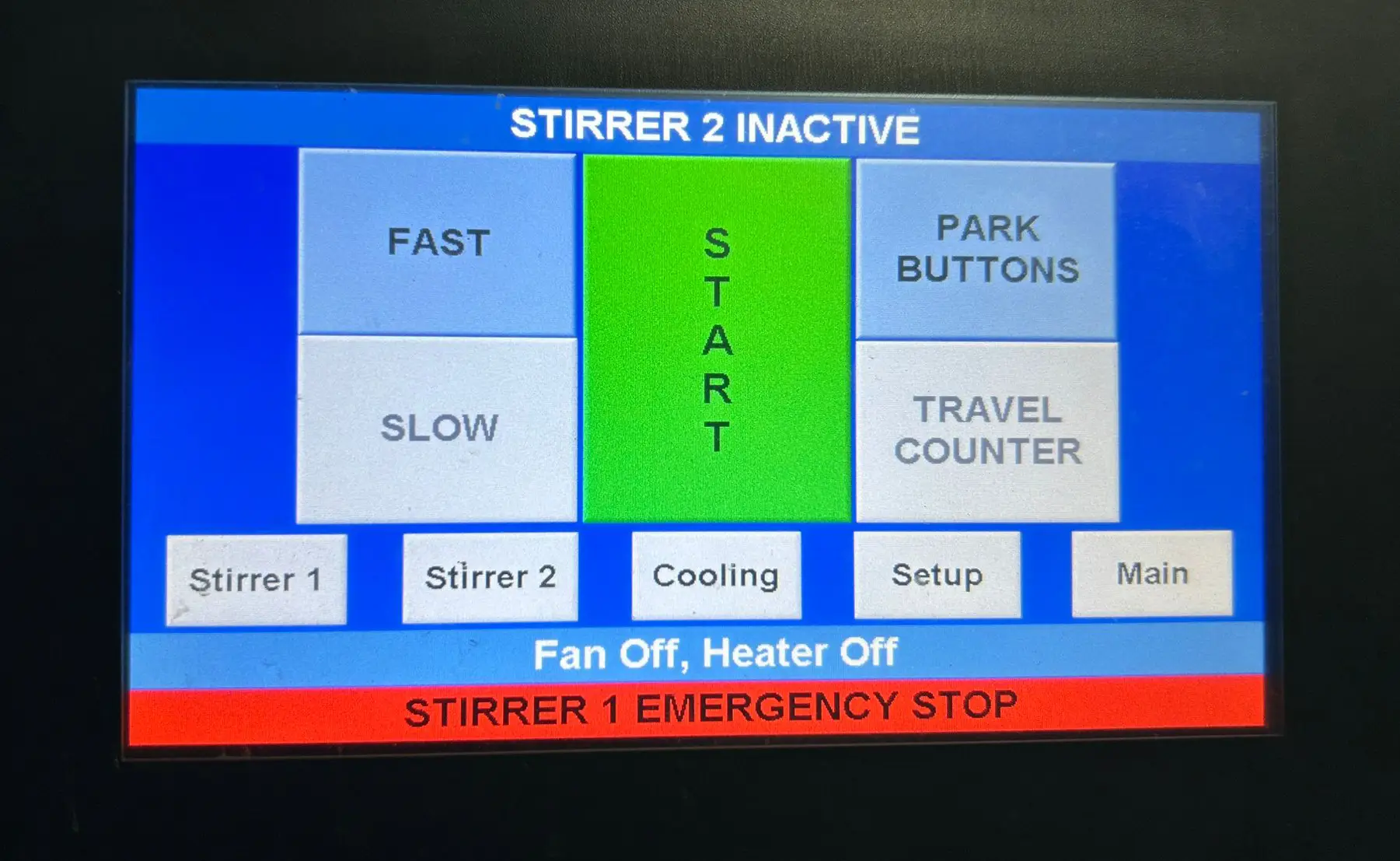
You can add wireless Maxi-Stirrer control from the panel. Start or stop the stirrer, adjust the park settings, and set a travel counter to determine the number of passes the stirrer will make before parking. The Store Controller shows Maxi-Stirrer error information and more operational data. Each controller can run up to two Maxi-Stirrers, typically located in the lobby, with a central main air duct featuring a Maxi-Stirrer on each side.